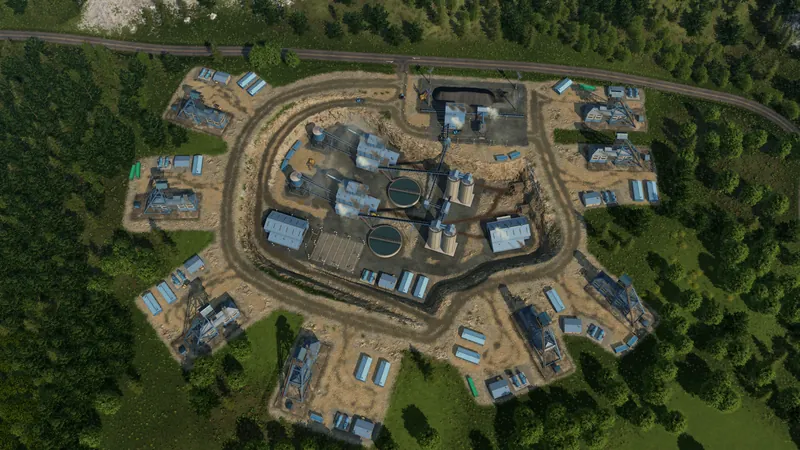
Connect the complete clay-to-town route
- Confirm the town's actual Bricks demand and find its requesting industrial district. Put the final delivery stop in that consumer's connection range, not merely beside residential or commercial buildings.
- Locate a Clay Pit and Brick Works. The manual lists both in Temperate and Dry climates. Do not import a Transport Fever 2 stone-to-bricks recipe or assume every climate starts with this chain.
- Create a Clay pickup and delivery line with a Bulk-compatible vehicle. Allow Clay pickup at the pit, then inspect the works' Input Stocks to confirm delivery. Its built-in loading point can serve a small initial test.
- Add a Goods-compatible Bricks service from the works to the requesting district. Check each stop's selected pickup product. If the route changes vehicles or lines, add connected warehouse storage and a working onward line.
- Follow the complete chain: Clay arrives, production consumes it, Bricks appear in Output Stocks and the final consumer receives them. Read the recipe separately from the last-year totals; it does not specify a fixed annual output or fleet size.
If the chain still does not work
- No Brick Works: check climate, town demand and new-industry notifications with the missing-industry checks. Waiting is not a verified fixed-year unlock.
- Clay is present but output looks low: use the industry-panel diagnosis to separate recipe, recent production, boosters and stock. More deliveries do not raise throughput when another constraint is active.
- A loaded Bricks vehicle refuses to unload: inspect the consumer's demand and input space, or the transfer warehouse's Bricks filter and onward service. A station alone does not store cargo for another line. Use the warehouse handoff checks.
- Bricks remain aboard at a town: inspect this destination's loading selection. A capacity target can intentionally retain cargo. For a final delivery, do not accidentally configure Bricks pickup; for several towns, use the multi-stop retention guide.
Industries & Cargo
Origins, cargo categories, loading infrastructure and transfers.
Watch on YouTube ↗Official pre-release overview. Use the written checks for this task; older videos may describe plans that later changed.
Confirm delivery, not just an empty truck
The intended district accepts Bricks and its receiving supply or stock changes. If it is full, reduce feed and follow the full-destination checklist. Forced disposal does not count as supplying the town. For another product, use the production-chain planning guide.