What to do
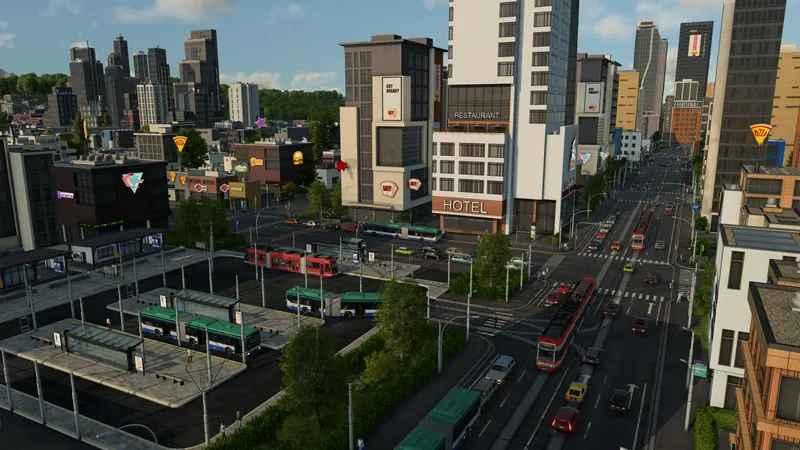
- Pause and choose two useful locations in one town. Place passenger stops whose catchment covers residential buildings and a destination. Check the passenger-access highlight and street path; nearby buildings behind an inaccessible entrance do not establish access.
- Build a road depot connected to the road carrying those stops. Keep this first test small. Avoid buying a large fleet or building an expensive railway before you know the stops form a usable service.
- Open Line Manager, select New Line and add both stops in travel order. Inspect the displayed path. A line cycles back to its first stop, so check the return path as well as the outward trip.
- Select the line and use Buy Vehicles, or open the connected depot. Buy a passenger vehicle, not a cargo truck, and assign it to this line. If buying through the line is unavailable, inspect depot access and vehicle compatibility.
- Resume and follow the vehicle through both stops. Inspect boardings, waiting passengers and the completed journey. Add capacity only when the actual queues and occupancy justify it; a new empty trip is not a reason to duplicate the fleet immediately.
Official pre-release footage. Older plans may change; the written answer states what is established and what still needs a build check.
How to tell it worked
The vehicle leaves its depot, reaches both stops and carries passengers on a usable trip. Then review the line balance over several complete trips before expanding. A valid route preview alone does not demonstrate demand or profit.
If you are still stuck
No passengers: recheck catchment and the paths to useful destinations. No depot access: trace the continuous road connection. Vehicle assigned to the wrong line: inspect its line field. Once it runs, use the linked satisfaction and profit checks instead of rebuilding the whole town.
Related tasks: Passenger satisfaction · Diagnose a line that loses money · Choose Campaign or configure your free game