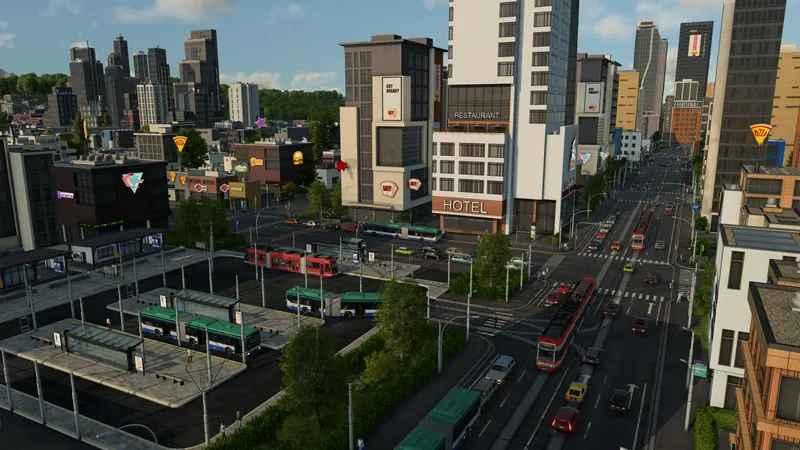
What to do
- Select the stop where the first line lets passengers off. Check the actual station and travel direction. For a combined passenger/cargo station, make sure both lines use passenger-capable terminals.
- Inspect the connecting stop and walking route. The current manual uses green for passenger reachability and white when both passenger and cargo transfer are possible. The October 7 bus-stop case explicitly identifies the second stop turning green as the useful transfer check.
- Check pedestrian access across the road. Look for a valid crossing and a short walking path. A community reply warns about country roads without crossings. Do not assume a path exists merely because the stops look close in a top-down view.
- Confirm both lines serve the intended journey. The first must bring passengers to the transfer; the second must serve the destination in the useful direction. Inspect stop order and loading settings if a bus never takes waiting passengers.
- Run the connection and observe onward travel. Follow arrivals at the first stop, waiting passengers at the connecting stop and boarding on the next line. Keep the walking transfer short rather than stretching it to an assumed maximum radius.
Official pre-release footage. Older plans may change; the written answer states what is established and what still needs a build check.
How to tell it worked
The connecting stop is reachable for passengers, and passengers completing that journey board the onward service. For an industry route, a working transfer is one part of the complete worker journey; check actual worker arrivals and the booster separately.
If you are still stuck
- The second stop is not passenger-reachable: inspect the walking path, crossing, distance and passenger terminal type. Cargo coverage uses a different radius-only rule.
- It is reachable but nobody transfers: confirm a destination worth reaching, the two line directions and passenger loading settings. An available connection does not guarantee every passenger chooses that itinerary.
- Stops on opposite road sides behave as one station: the manual says opposite road stops on the same street section are grouped. Inspect the station and terminal selected in each line rather than assuming two independent stations.
- A bus waits instead of continuing: inspect full-load and waiting rules. A service held at a stop can delay an otherwise valid transfer.